
 Book Discovery Call

Get Listed, Verified, Ranked.
Follow these steps to get your Google Business Profile listed, verified, and ranking on Google Maps. Purpose-built for rental businesses.
A properly configured Google Business Profile is one of the highest-impact things you can do for your local business. It increases visibility on Google Search and Maps, turning searchers into paying customers. Follow the 10 steps below to claim, set up, and optimize your profile.
Check If Your Business Already Exists
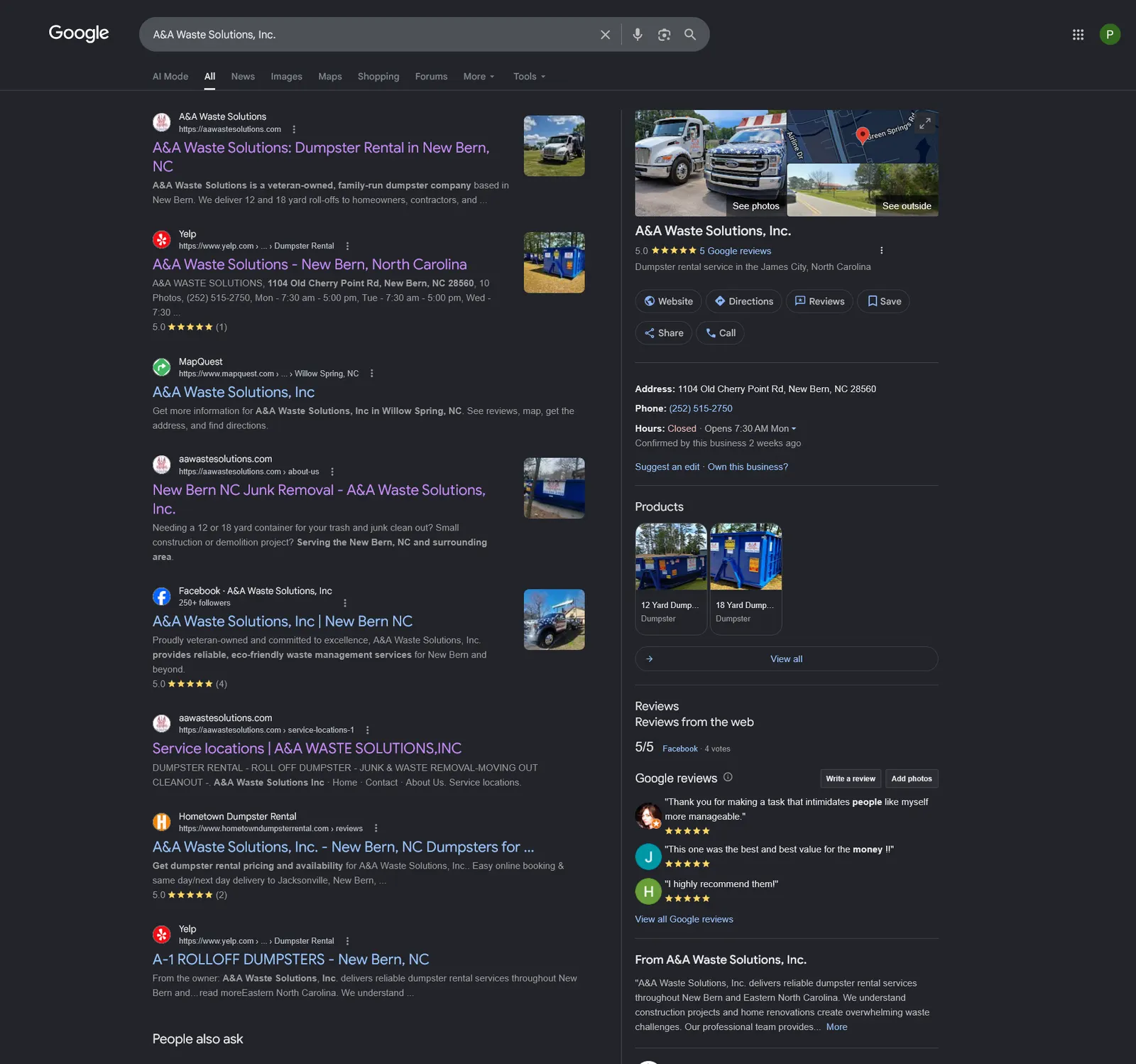
Search Google Maps and Google Search for your business name. Google often auto-creates listings. If you find an unclaimed one, select "Claim this business". It's faster and preserves existing reviews.
Create a Profile With the Right Account
Use a business-connected Google account. Go to business.google.com and click "Manage now." Enter your business name and follow the prompts.
Pick Your Business Type & Category
Select whether you're a storefront, online business, or service-area business. For your primary category, choose the most specific term customers search for (e.g., "Dumpster Rental Service"). Use the fewest categories that accurately represent your services.
Set Your Service Area & Location
If customers visit you, enter your address. If you travel to customers, define the towns, counties, or zip codes you serve. Keep your service area realistic. Google favors listings within roughly a 1–2 hour drive.
Add Your Contact Info
Enter your primary business phone number and website URL. A website isn't required but significantly helps conversions and provides trust signals to Google.
Verify Your Business
Your profile won't be publicly visible until verified. Google offers several methods:
| Method | How It Works | Timeline |
|---|---|---|
| Video | Live capture on a smartphone through Google's verification flow. Show your location, branded equipment, and proof of business management | 1–3 days |
| Phone / Text | Google calls or texts a code to your listed number | Instant |
| Code sent to a verified business email address | Minutes | |
| Postcard | Physical postcard mailed to your business address | 5–14 days |
Add Your Services
Services act as keywords that help customers find you. Add every service you genuinely offer. If a service isn't in Google's list, create a custom entry. Only list services you actually provide.
Set Accurate Business Hours
Enter hours that reflect when customers can actually reach you. Inaccurate hours lead to negative reviews. Set special hours for holidays and seasonal changes from your dashboard.
Write a Business Description
Use up to the 750-character maximum to highlight your key services, service areas, and what sets you apart. Focus on clarity. Avoid keyword stuffing.
Upload High-Quality Photos
Photos increase trust and click-through rates. Upload before customers add their own:
- Company logo and a professional cover photo
- Equipment, trucks, or dumpsters, especially branded assets
- Team at work on job sites
- Before-and-after shots of completed projects
Keep Your Profile Working for You
Gather Reviews Consistently: Send a review request link to every satisfied customer. Reviews are one of the strongest local ranking signals.
Respond to Every Review: Reply professionally to both positive and negative reviews. Active responses signal credibility to potential customers.
NAP Consistency: Keep your Name, Address, and Phone number identical across your website, GBP, and all online directories.
Add Photos Regularly: Profiles with recent photos see higher engagement. Aim to add new photos at least once a month.
Monitor Insights: Track views, direction clicks, and calls from your GBP dashboard. Then refine based on what's working.
Post Regular Updates: Use the Posts feature for promotions and seasonal offers. Active profiles rank higher than dormant ones.
Final Setup Checklist
A Service Area Business (SAB) travels to customers rather than receiving them at a fixed location, such as dumpster rental, plumbing, landscaping, or HVAC. Google treats SABs differently from storefronts, so follow the steps below to set up and rank your SAB profile correctly.
Hide Your Physical Address
During setup, enter your address for verification, then select "I deliver goods and services to my customers" and choose to hide your address. This is the correct configuration for any business that doesn't receive walk-in customers.
Define Your Service Areas Strategically
Your GBP will display the towns, cities, counties, or zip codes you serve. Google allows up to 20 service areas per profile.
- Use city and town names rather than zip codes (more recognizable to customers)
- Include your primary metro area, suburbs, and neighboring towns you regularly cover
- Avoid listing areas more than 2 hours away. Google may flag unrealistic service ranges
Choose the Right Category for an SAB
Your primary category should reflect what customers search for, not how you operate. Examples:
- Dumpster Rental Service (roll-off dumpster companies)
- Equipment Rental Agency (general equipment rental)
- Portable Toilet Supplier (portable sanitation businesses)
- Moving and Storage Service (portable storage container rentals)
Verify as a Service Area Business
SABs most commonly verify via video verification since there is no storefront. During the live video session, show:
- Business vehicles (ideally with company branding or signage)
- Your equipment (dumpsters, trailers, tools)
- Proof you manage the business (invoices, a business account, or paperwork with your business name)
- Your surrounding area or street address to confirm location
Optimize Your Description for Service Areas
Your GBP description is one of the few places to explicitly mention the areas you serve. Use your 750 characters to naturally include your top 2–3 service cities alongside your core services.
Build Reviews Across Your Service Area
Reviews from customers in different parts of your service area help Google understand your geographic reach. Actively request reviews from customers in every town you serve, not just your home base. A diverse geographic spread of reviews significantly strengthens your local ranking across your entire service area.
Keep Your SAB Profile Working for You
Gather Reviews Consistently: Send a review request after every job. Reviews are one of the strongest local ranking signals.
Respond to Every Review: Reply professionally to both positive and negative reviews.
NAP Consistency: Keep your Name, Service Area, and Phone number identical across your website, GBP, and all directories.
Add Job Site Photos: Upload photos from job sites across your service area. This reinforces your geographic reach to Google.
Post Regular Updates: Use the Posts feature for seasonal offers and promotions. Active profiles rank higher.
SAB Setup Checklist
We've built a suite of free tools specifically for rental businesses. Audit your Google Business Profile, optimize your services list, and generate a high-performing description in minutes. Everything you need to rank higher and book more jobs, all in one place.
Access Free Tools →📞 Let's Talk Rental Marketing
Book a free call with our team to get personalized advice for your rental business.